Watchtower
Continuously audits your vault for leaked, reused, and weak passwords and other risks.
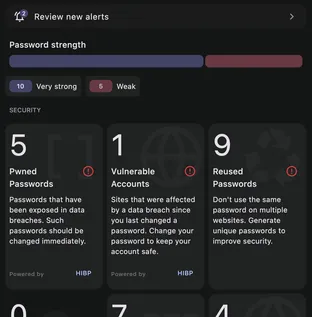
Watchtower audits every item in your vault for security risks and maintenance problems, and groups what it finds by category with a count on each. The audit reruns as your vault changes, so you are always up to date.
What it checks
- Pwned (leaked) passwords
- Vulnerable accounts, where the site was breached after you last changed the password
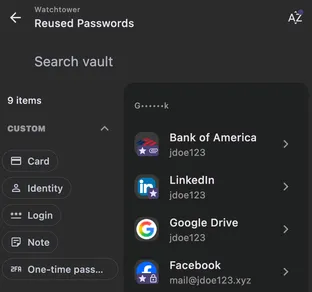
- Reused passwords
- Weak passwords
- Weak SSH keys
- Unusable GPG keys
- Weak GPG keys
- GPG key publishing, when a key’s keyserver status is missing or stale
- Inactive two-factor authentication
- Available passkeys, on sites that support them
- Insecure websites, still on
http:// - Duplicate items
- Duplicate URIs, where two of an item’s URLs cover the same site
- Broad URI match detection, where a URL matches more loosely than it should
- Incomplete items
- Expiring items
Selecting any category opens the affected items, where you can update a password, switch a site to https, or clean up duplicates directly. The Watchtower guide documents every check and how each one respects your privacy.
Clean up duplicates
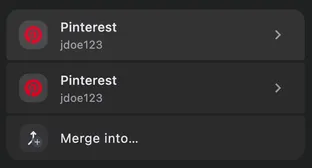
When Watchtower flags duplicate items, you can resolve them on the spot: pick the copies, choose Merge into…, and Keyguard reconciles them into a single entry. See bulk actions for the merge editor.